
How to Report an Issue
If you run into a problem while using Ground News, we’re here to help. Reporting issues allows our team to identify bugs, review content concerns, and improve features across the platform. This guide walks you through how to report an issue on Web and the mobile apps, and what information to include so we can resolve it as quickly as possible.
What Should I Report?
Not sure if something’s a bug? You can still report it. Our team reviews every report and follows up whenever we can. You can report things like:
A story not loading or displaying correctly
Incorrect information or broken links
Missing sources or summaries
App or website bugs
Any other issue that doesn’t seem to be working as expected
Tips for Faster Resolution
Including a few extra details can help us investigate faster and follow up more efficiently. When submitting a report, try to include:
A short description of what went wrong
The story title or topic (if applicable)
Whether the issue occurred on Web, iOS, or Android
Screenshots or screen recordings, if available
Your app version and device type for mobile issues
Reporting an Issue on the Website
Open the story you’d like to report.
Select the flag icon in the top‑right corner of the story page.
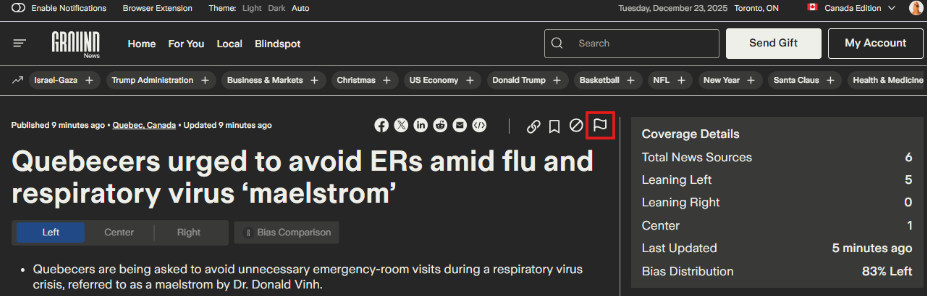
(Click on the image above to expand)
Choose the issue category that best describes the problem and add any additional details to help our team review the issue.
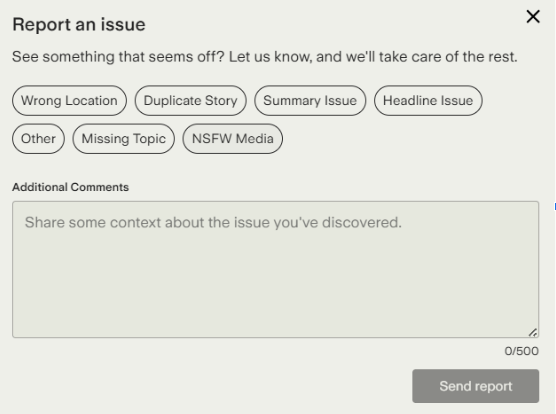
(Click on the image above to expand)
Submit your report.
Reporting an Issue on the Mobile Apps
Android App
Tap the three‑dot menu next to the headline or on the story page.
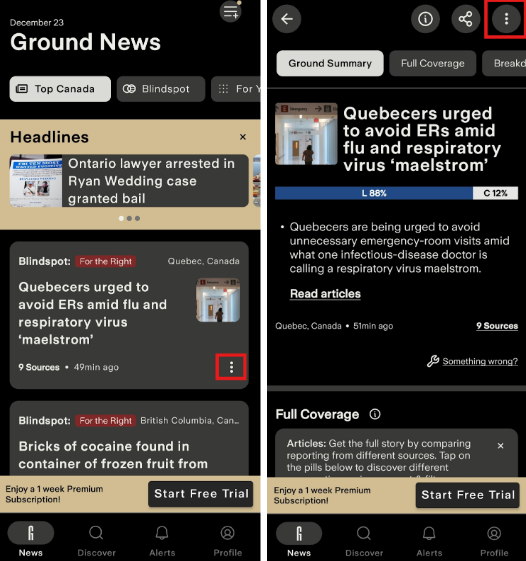
(Click on the image above to expand)
Select “Something wrong?”
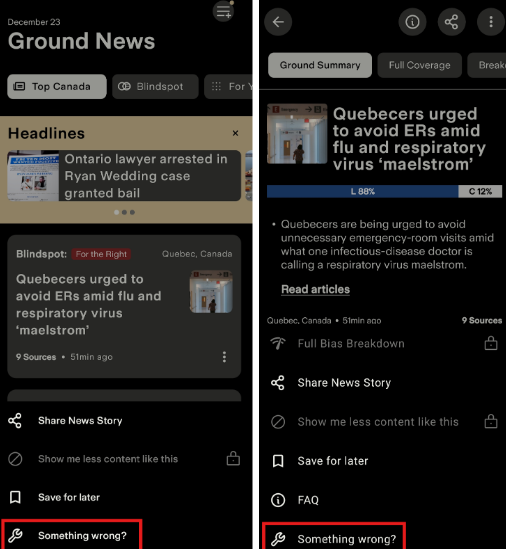
(Click on the image above to expand)
Choose the issue category. Add any additional details and submit your report.
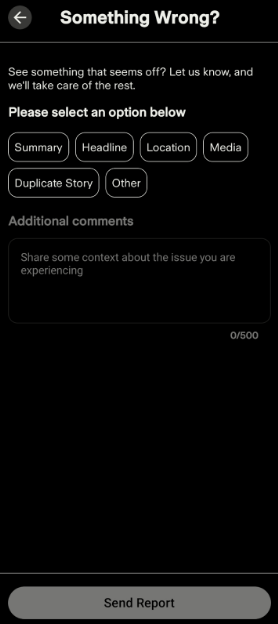
(Click on the image above to expand)
iOS App
Tap the three‑dot menu next to the headline or on the story page.
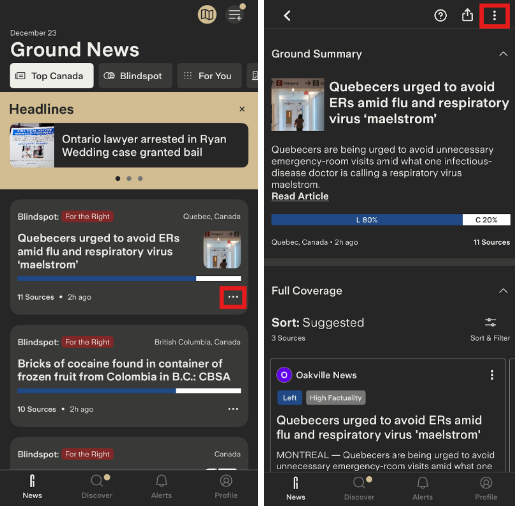
(Click on the image above to expand)
Select “Report an issue.”
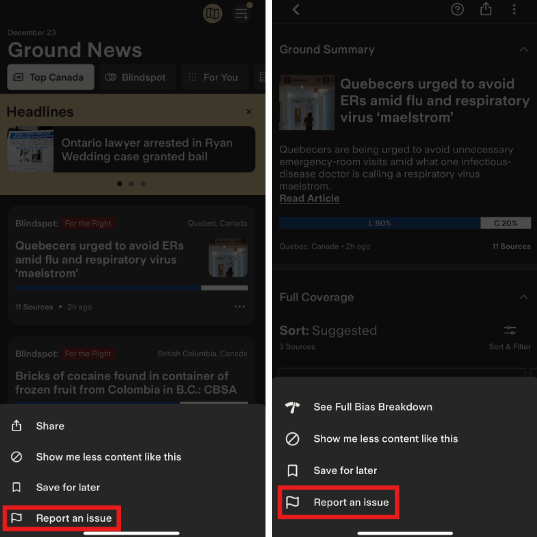
(Click on the image above to expand)
Choose how you’d like to send your report:
Select the Apple Mail or Gmail option. From there, please describe the issue you're encountering with as much detail as possible and send your email to feedback@ground.news
What Happens After I Submit a Report?
Once you submit a report, it’s reviewed by our team to better understand the issue and determine next steps. Our team may reach out to you using the email provided.
Depending on the type of report:
Content-related issues (such as missing sources, broken links, or incorrect information) are reviewed and corrected when possible.
Technical issues or bugs are logged and shared with the appropriate team for investigation.
Feature feedback or suggestions are recorded and considered for future improvements.
Please note:
Submitting a report doesn’t guarantee an immediate fix, but it helps us identify patterns and prioritize improvements.
If additional information is needed, our team will follow up with you directly.
If you’re experiencing an urgent issue or need direct assistance, we recommend contacting us at feedback@ground.news so our team can help.
We hope this article was helpful! If you have any concerns about this article and would like to leave a comment, we welcome your feedback – but please keep in mind feedback that is submitted on a Help Center article will not be responded to by our team. If you have an issue you would like resolved by our team, please contact us at feedback@ground.news